Schedule people
Choose who works for each position from the candidate list. You see who is available, how many hours they already work and who is busy elsewhere.
Who can do this?
AdminManager
For each position in a time block you see how many people are scheduled, e.g. 1 of 3 scheduled, and how many are available. Click Candidates to choose someone.
Choose someone
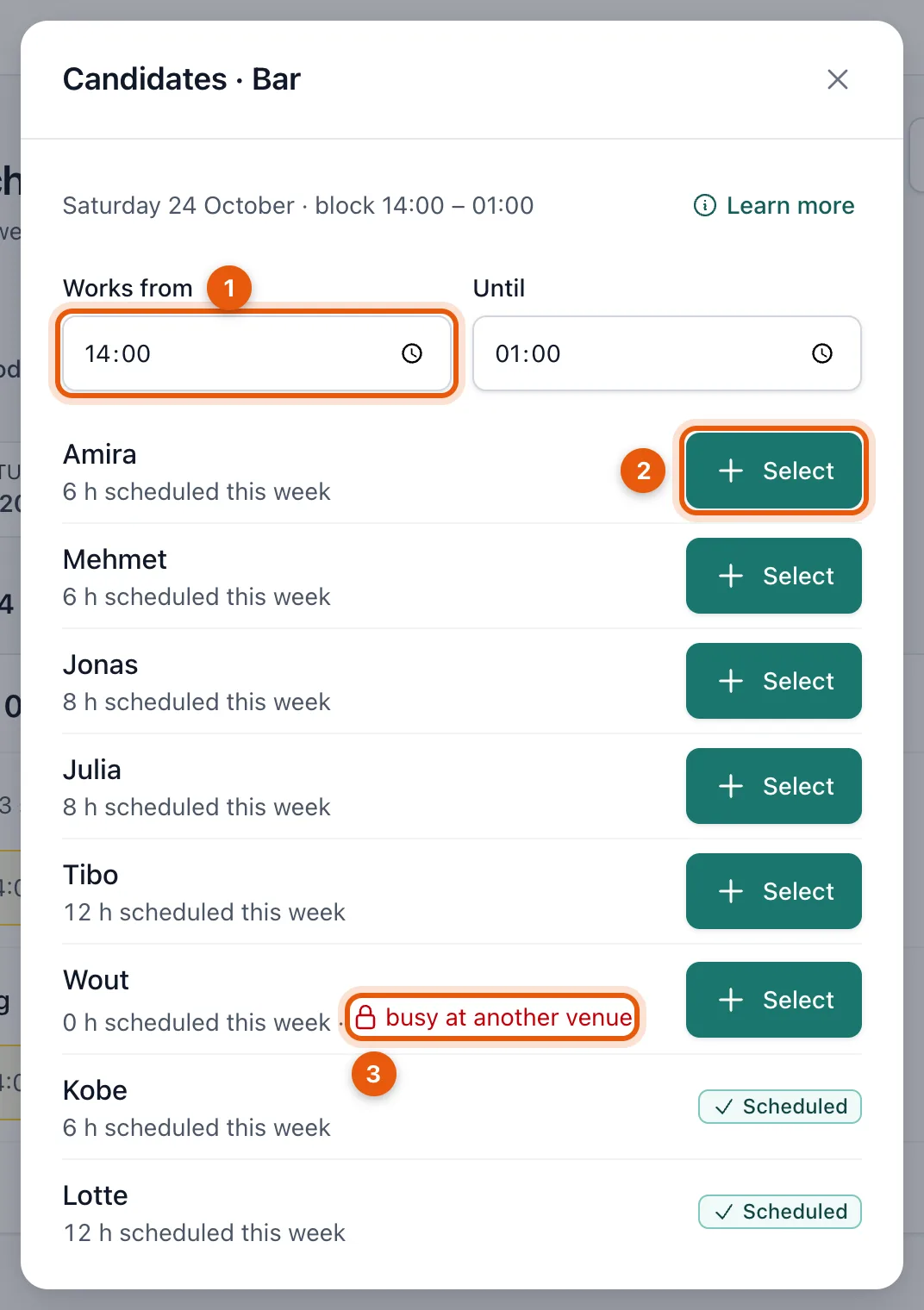
- Want someone to work only part of the block? First adjust Works from and Until (1).
- Click Select (2) next to the person you want to schedule. You only see people who said they're available for this block. Each name shows how many hours that person is already scheduled that week; whoever works least is at the top.
- People who are already scheduled get the label Scheduled.
What do the notes next to a name mean?
- Busy at another venue (3): this person already works at another venue that uses BarPlanner during this block. You only see that they're busy, never where. You can only schedule them for hours when they're not working elsewhere: adjust Works from and Until for that.
- Works elsewhere around this time: they're already in another block at your venue that overlaps. Working hours can't overlap, so choose other hours.
Does it say Nobody has marked themselves available for this block? Then ask your team to give their availability. See Give your availability.
Change hours or remove someone
Scheduled people appear as a card in the block.
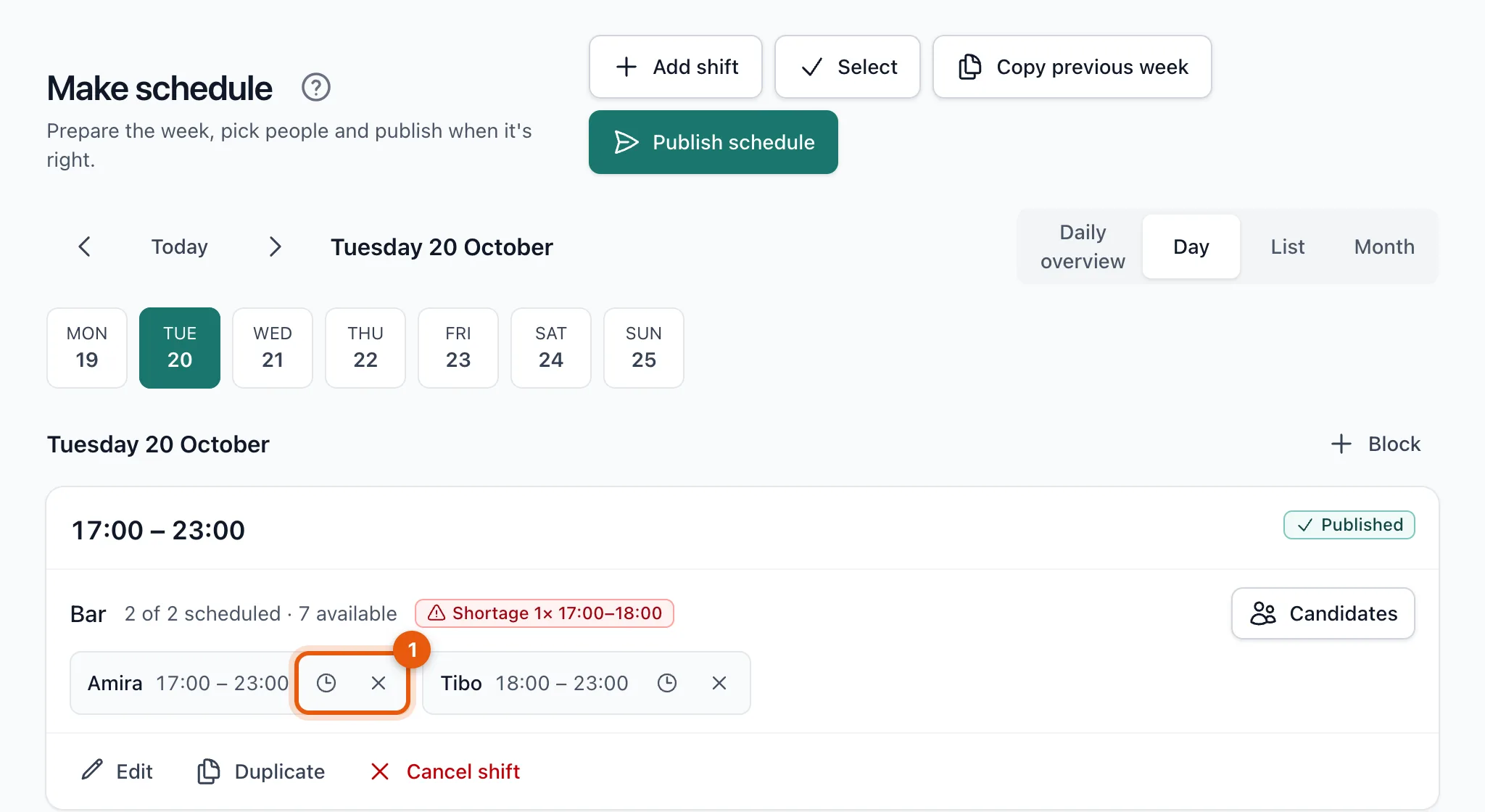
Next to each name there are two buttons (1):
- the clock opens Adjust working hours: you choose other hours within the block;
- the cross removes someone from the block.
Shortages and conflicts
- Shortage means there are too few people for part of the block, e.g. Shortage 1× 17:00–18:00.
- A conflict blocks publishing until you solve it. For example: more people on a position than needed, someone is now busy at another venue or no longer available, someone's hours fall outside the block, or someone was deactivated. The block shows exactly what's wrong.
Related articles
- Create and edit time blocksA time block is a period in which your venue needs people, with a number per position. How to create, edit, duplicate and delete them.
- Publish the schedulePublish a selection, a week, a month or a period. Beforehand you see what changes and who gets a notification.
- Plan and publish your first weekCreate time blocks, choose who works in each position and publish the week. Your team only sees the schedule after you publish.
Didn’t find what you were looking for? Search again: