Ask a colleague to take over your shift
Can't work? Ask a colleague to take over your shift. Your colleague accepts first, then your manager decides.
Who can do this?
Everyone
Can't do a confirmed shift after all? Then find a colleague who wants to take over yourself. That way your manager doesn't have to look for a replacement.
Ask for a takeover
-
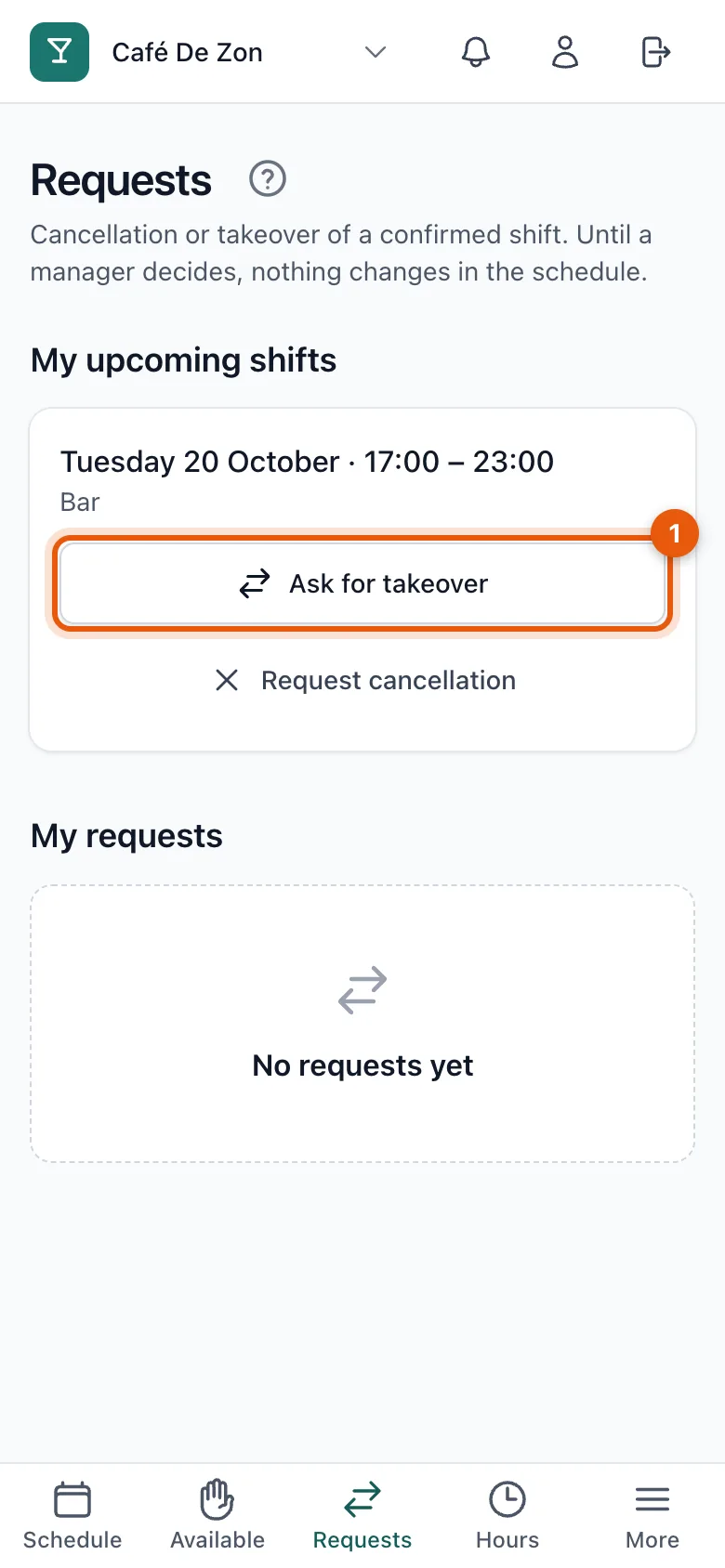
Open Requests. Your confirmed shifts are under My upcoming shifts.
-
Tap Ask for takeover (1) next to the shift.
-
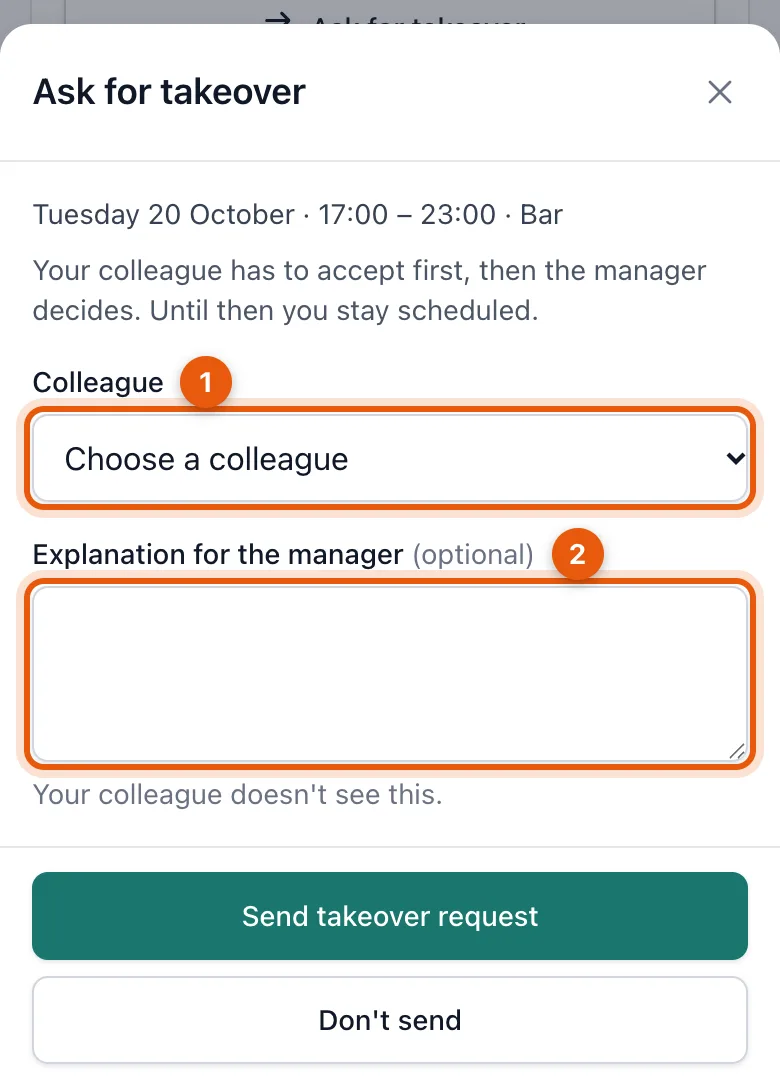
Choose the colleague (1) who will take over and optionally add an explanation for the manager (2).
-
Tap Send takeover request.
What happens next?
- Your colleague gets a notification and accepts or declines. See Answer a takeover request.
- Once your colleague has accepted, your manager decides.
- If the manager approves, your colleague takes over the shift. You both get a notification.
Under My requests you see how far your request has got. As long as nothing has been decided, you can withdraw it with Withdraw request.
Related articles
- Request a cancellationCan't work and can't find a colleague to take over? Request a cancellation; your manager decides and looks for a replacement.
- Answer a takeover requestA colleague asks whether you want to take over their shift. Accepting confirms you can; then your manager decides.
- Approve or decline requestsTakeovers and cancellations of confirmed shifts wait for your decision. Approving updates the schedule straight away and notifies the people involved.
Didn’t find what you were looking for? Search again: