Start your subscription
Start your subscription whenever you like during the trial. You only pay once it ends. Pay with Bancontact, card or direct debit.
Who can do this?
Admin
-
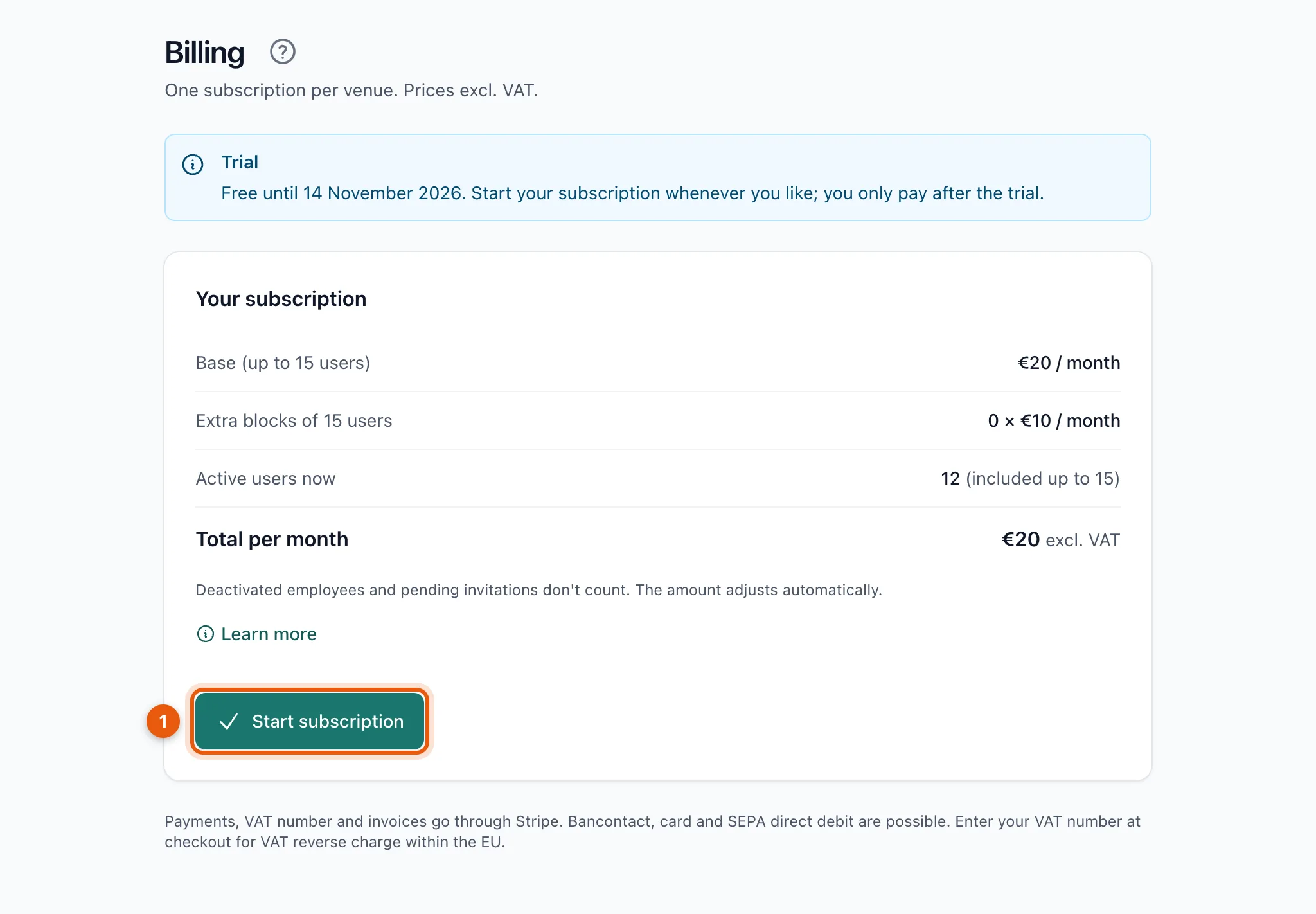
Open Billing (admins only).
-
Click Start subscription (1).
-
You go to Stripe, our payment partner. Choose Bancontact, card or SEPA direct debit.
-
Enter your company name and VAT number if you want invoices in your venue's name.
-
Confirm. You come back to BarPlanner.
Invoices
After every payment you get the invoice by email. You can also find them via Payment details and invoices. See Invoices, payment method and cancelling.
Related articles
- Price and trial30 days free, no card needed. After that €20 a month excl. VAT for up to 15 active users, plus €10 for each extra block of 15.
- Invoices, payment method and cancellingVia Payment details and invoices you download invoices, change your payment method or billing details and cancel your subscription.
- Why is my venue read only?After the trial without a subscription, or after a failed payment, your venue becomes read only. Your team still sees the schedule; nobody can change anything.
Didn’t find what you were looking for? Search again: