Approve or decline requests
Takeovers and cancellations of confirmed shifts wait for your decision. Approving updates the schedule straight away and notifies the people involved.
Who can do this?
AdminManager
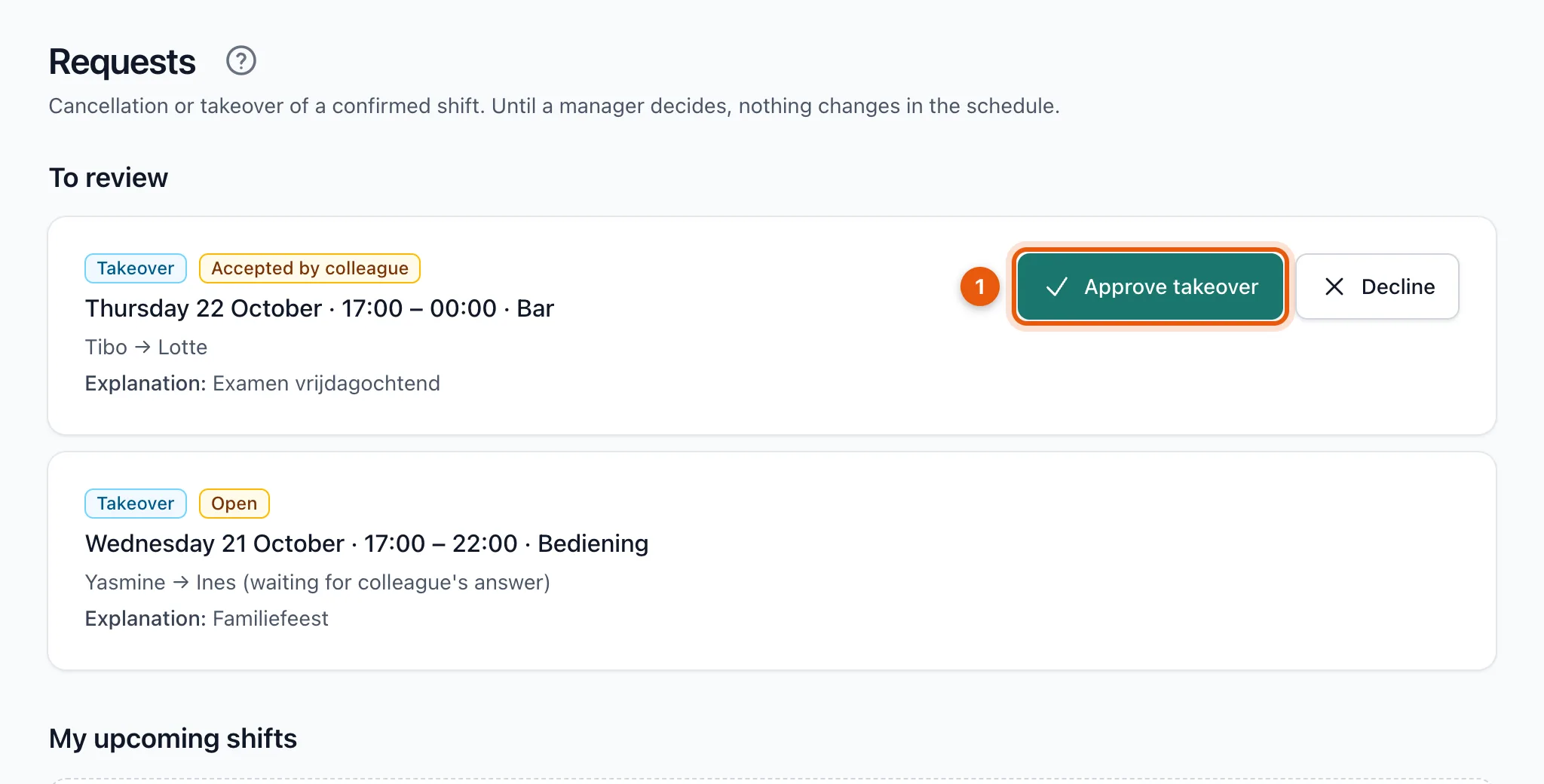
When someone asks for a takeover or a cancellation, you get a notification. Open Requests: the requests waiting for you are under To review.
Decide
-
Click Approve takeover or Approve cancellation (1), or Decline.
-
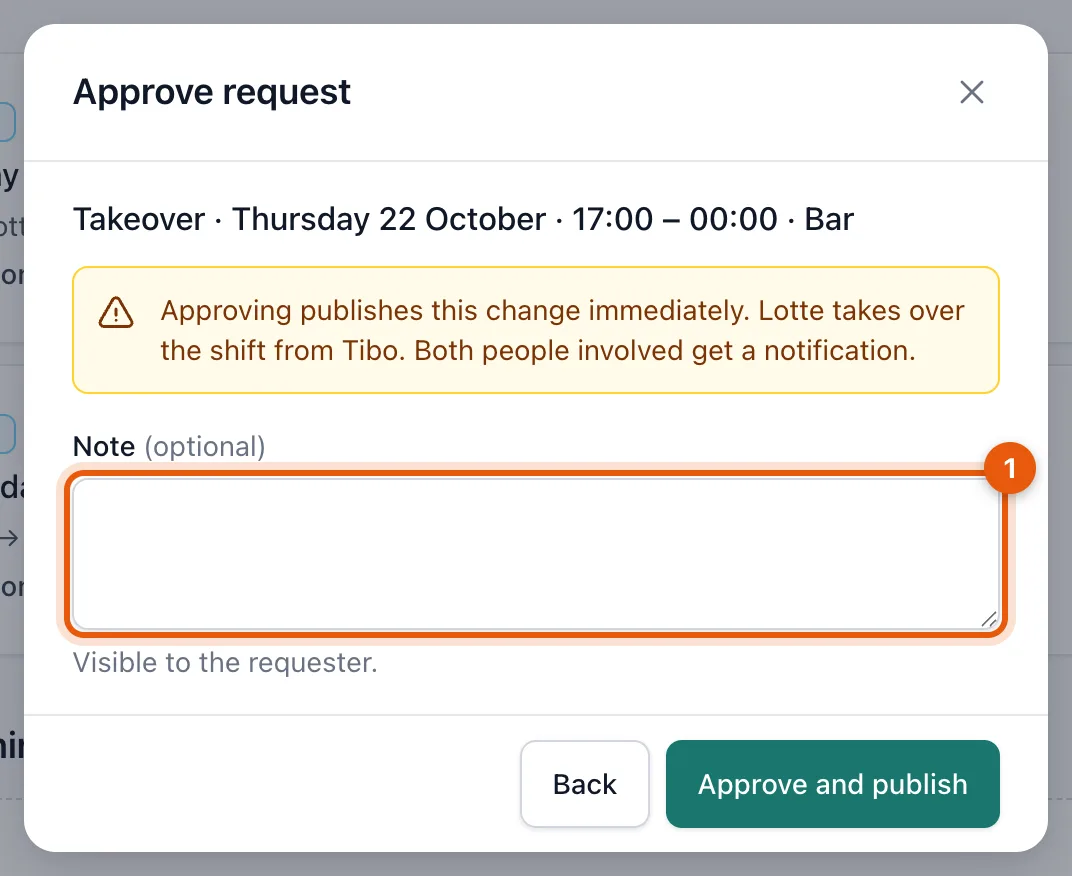
Optionally write a note (1). The person who asked sees it.
-
Confirm with Approve and publish or Decline request.
What happens?
| Request | Approve | Decline |
|---|---|---|
| Takeover | The colleague takes over the shift. The change is published straight away; both people get a notification. | The schedule stays unchanged. The person who asked gets a notification. |
| Cancellation | The person is taken off the schedule. Their spot frees up as a vacancy. | They stay scheduled and get a notification. |
A takeover the colleague hasn't accepted yet is already listed, with the label Open and (waiting for colleague's answer). You can only review it once the colleague has accepted.
Related articles
- Ask a colleague to take over your shiftCan't work? Ask a colleague to take over your shift. Your colleague accepts first, then your manager decides.
- Request a cancellationCan't work and can't find a colleague to take over? Request a cancellation; your manager decides and looks for a replacement.
- Change or cancel a published shiftIf you change a published shift, the old version stays valid until you publish again. Cancelling notifies the people involved straight away.
Didn’t find what you were looking for? Search again: