Change or cancel a published shift
If you change a published shift, the old version stays valid until you publish again. Cancelling notifies the people involved straight away.
Change times, staffing or people
You can simply edit a published block or schedule other people. The change becomes a draft: the block says Change in draft. Your team sees the old version until you publish again. Only then do the people involved get a notification.
Cancel a shift
Is an evening not going ahead, for example because of a private party or a closure?
-
Click Cancel shift at the bottom of the block.
-
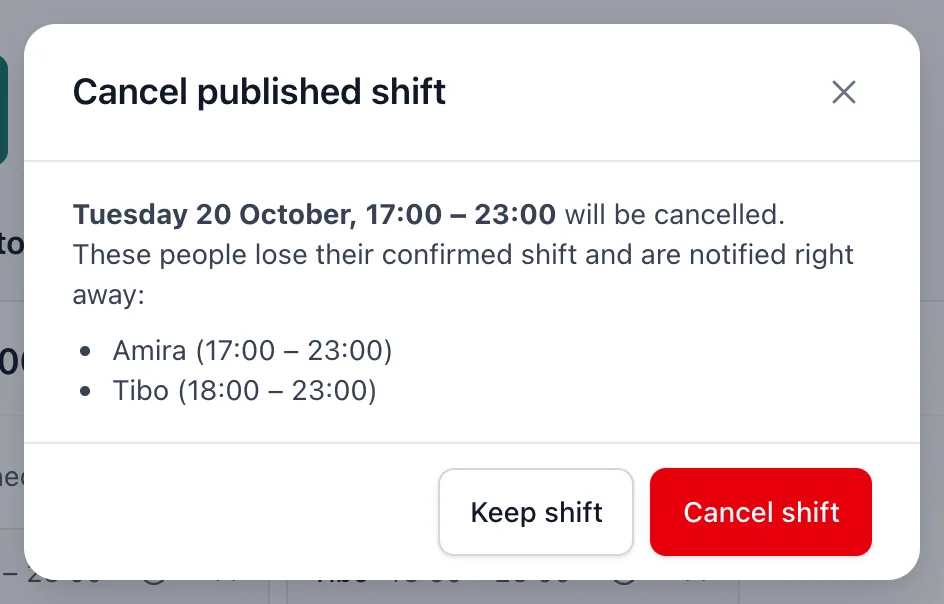
You see who loses their confirmed shift.
-
Click Cancel shift to confirm.
Fill a freed-up spot again
If you approve a cancellation from a staff member, a spot frees up. The block then shows Spots freed up after cancellation. Click Find candidates again: availability for that position reopens so colleagues can say they're available. Then choose someone via Candidates.
Related articles
- Draft and publishedEverything you plan is first a draft that only planners can see. Your team only sees a shift after you publish it.
- Publish the schedulePublish a selection, a week, a month or a period. Beforehand you see what changes and who gets a notification.
- Approve or decline requestsTakeovers and cancellations of confirmed shifts wait for your decision. Approving updates the schedule straight away and notifies the people involved.
Didn’t find what you were looking for? Search again: