Roles and permissions
Each person has a role per venue: admin, manager, supervisor or employee. The role decides what someone can see and do.
Who can do this?
AdminManager
| Admin | Manager | Supervisor | Employee | |
|---|---|---|---|---|
| Own availability, schedule, swaps and cancellations | ✓ | ✓ | ✓ | ✓ |
| See availability, drafts and everyone's hours | ✓ | ✓ | ✓ | |
| Plan and publish | ✓ | ✓ | ||
| Approve or decline requests | ✓ | ✓ | ||
| Export hours | ✓ | ✓ | ||
| Manage positions | ✓ | ✓ | ||
| Invite people and revoke access | ✓ | ✓ | ||
| Give roles (except admin) | ✓ | ✓ | ||
| Appoint admins | ✓ | |||
| Billing, venue data, delete venue | ✓ |
A supervisor sees everything a planner sees, but can't change anything. Useful for a regular staff member who runs the evening.
Change a role
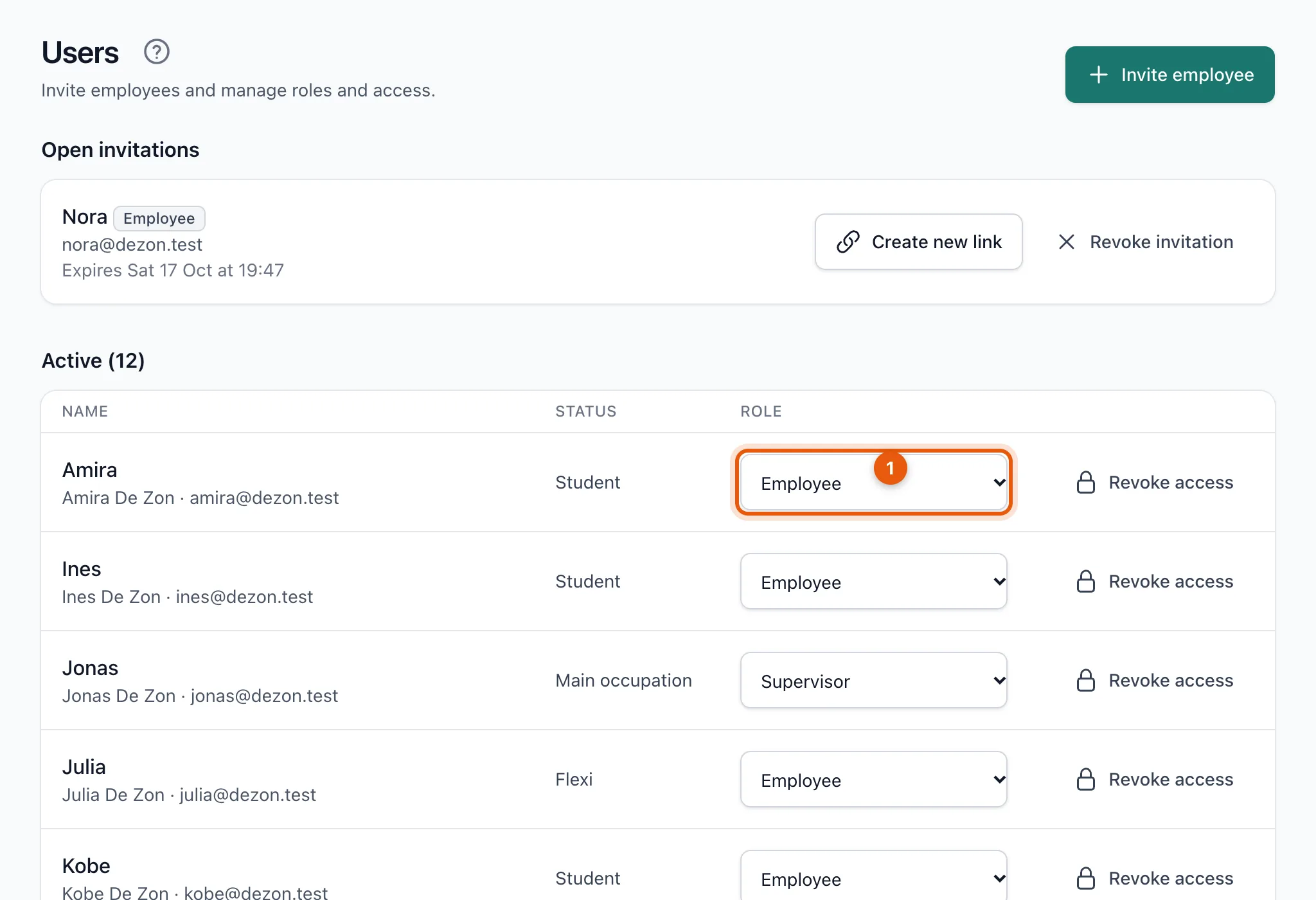
Open Users and choose the new role in the list next to the name (1). The change applies straight away.
Related articles
- Invite your teamInvite employees with their name and email address. They get a personal link, which you can also send yourself via WhatsApp.
- Revoke someone's accessSomeone no longer works for you? Revoke their access. The schedule and history are kept and the person no longer counts towards the price.
Didn’t find what you were looking for? Search again: