View your schedule
The schedule shows the confirmed shifts of the week, who works with you and how many hours you are scheduled.
Who can do this?
Everyone
The Schedule shows the confirmed schedule: only shifts your manager has published. What's still in draft doesn't appear here.
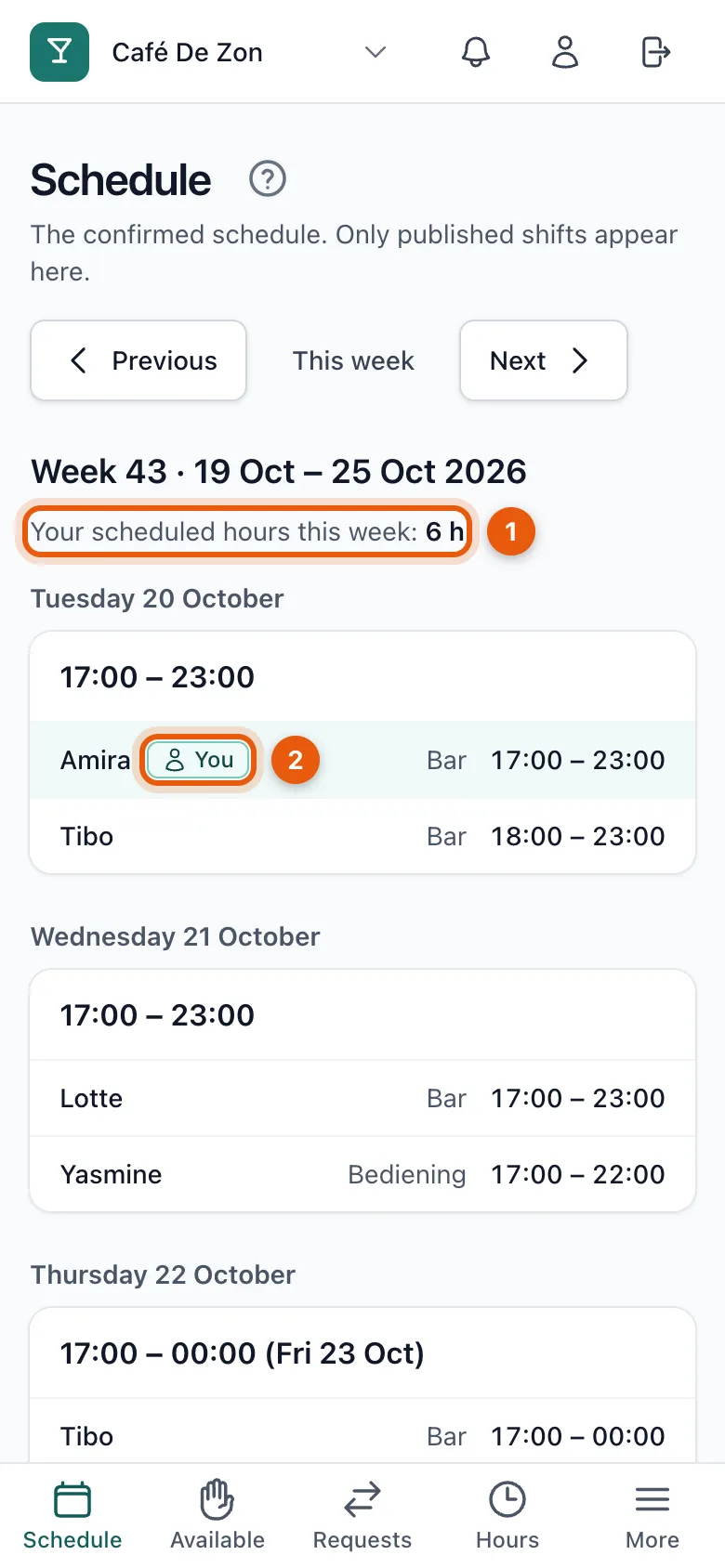
- At the top you see how many hours you are scheduled this week (1).
- For each day you see the shifts with who works, in which position and from when to when.
- You recognise your own shift by the You label (2).
- Use Previous and Next to browse the weeks; This week takes you back.
Can't make a shift?
Ask a colleague to take over or request a cancellation. See Ask a colleague to take over your shift.
Related articles
- Give your availabilityMark for each time block whether you can work. Being available is not a commitment yet: only the published schedule counts.
- Ask a colleague to take over your shiftCan't work? Ask a colleague to take over your shift. Your colleague accepts first, then your manager decides.
- Notifications and push notificationsYou get a notification for a new schedule, a change or a request: in the app, by email, and as a push notification on your phone if you turn it on.
Didn’t find what you were looking for? Search again: