Why can't I change my availability any more?
Once your manager publishes a block, it's fixed and availability closes. Can't come after all? Ask for a takeover or a cancellation.
Who can do this?
Everyone
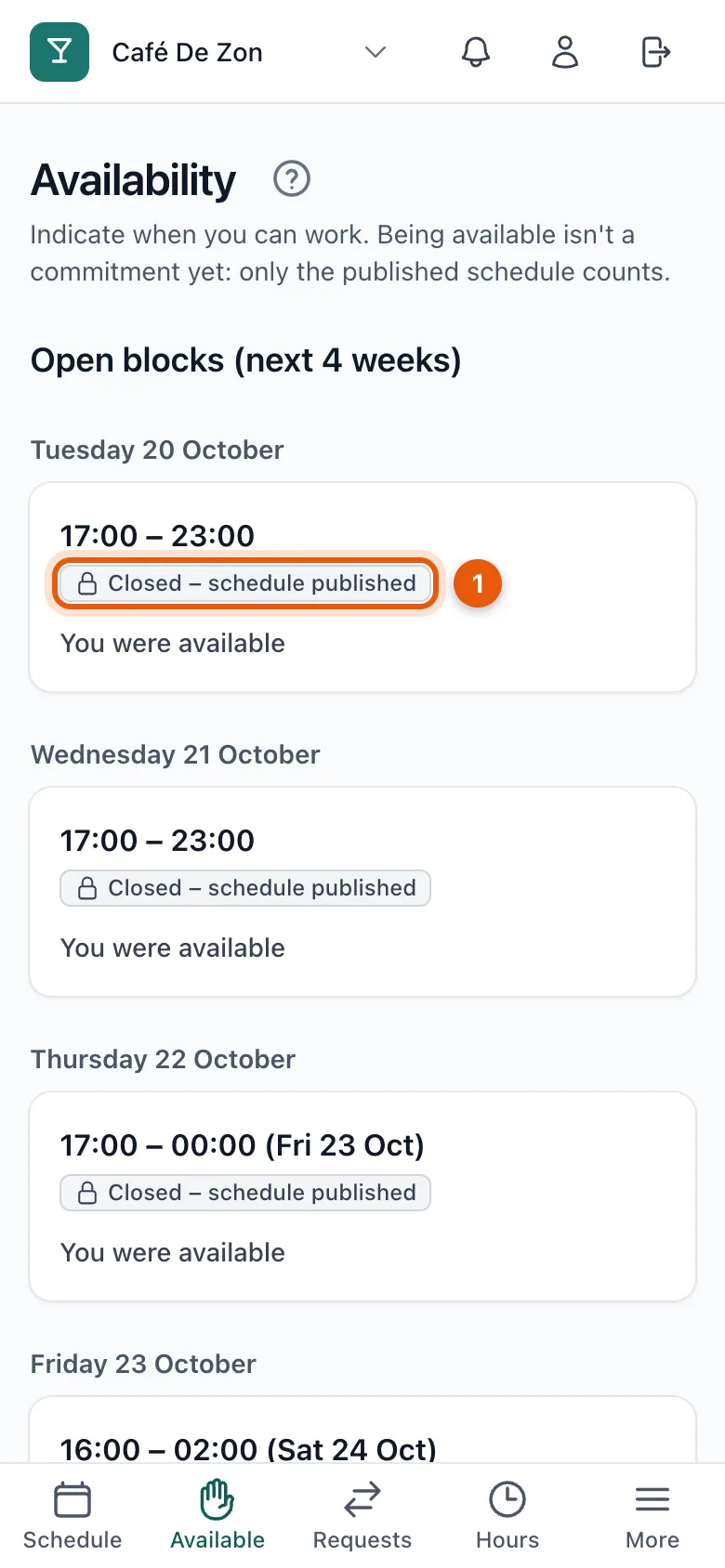
A block shows Closed – schedule published (1). That means your manager has published the schedule for that block. From then on it's fixed and you can no longer change your availability. You can still see what you had given: You were available or You were not available.
Can't come after all?
- Are you scheduled? Ask a colleague to take over your shift, or request a cancellation. See Ask a colleague to take over your shift and Request a cancellation.
- Not scheduled? Then you don't need to do anything.
Related articles
- Give your availabilityMark for each time block whether you can work. Being available is not a commitment yet: only the published schedule counts.
- Ask a colleague to take over your shiftCan't work? Ask a colleague to take over your shift. Your colleague accepts first, then your manager decides.
- Request a cancellationCan't work and can't find a colleague to take over? Request a cancellation; your manager decides and looks for a replacement.
Didn’t find what you were looking for? Search again: