Install the app on your phone
Put BarPlanner on the home screen of your iPhone or Android. You open your schedule with one tap and get notifications.
Who can do this?
Everyone
BarPlanner works in your phone's browser; you don't need to download anything from an app store. Do put the app on your home screen: then you open it with one tap, just like a normal app, and you get notifications.
iPhone (Safari)
- Open the invitation link or app.barplanner.be in Safari and log in.
- Tap the Share icon at the bottom (a square with an arrow pointing up).
- Scroll down and tap Add to Home Screen.
- Tap Add. The BarPlanner icon is now on your home screen.
Android (Chrome)
- Open the invitation link or app.barplanner.be in Chrome and log in.
- Tap Install in the message at the bottom, or open the menu (three dots) and tap Install app.
- Confirm with Install.
Turn on notifications
In the app, open Notifications and tap Enable push notifications. Do this on every device where you want to get notifications. Notifications also always arrive by email and stay visible in the app.
What it looks like
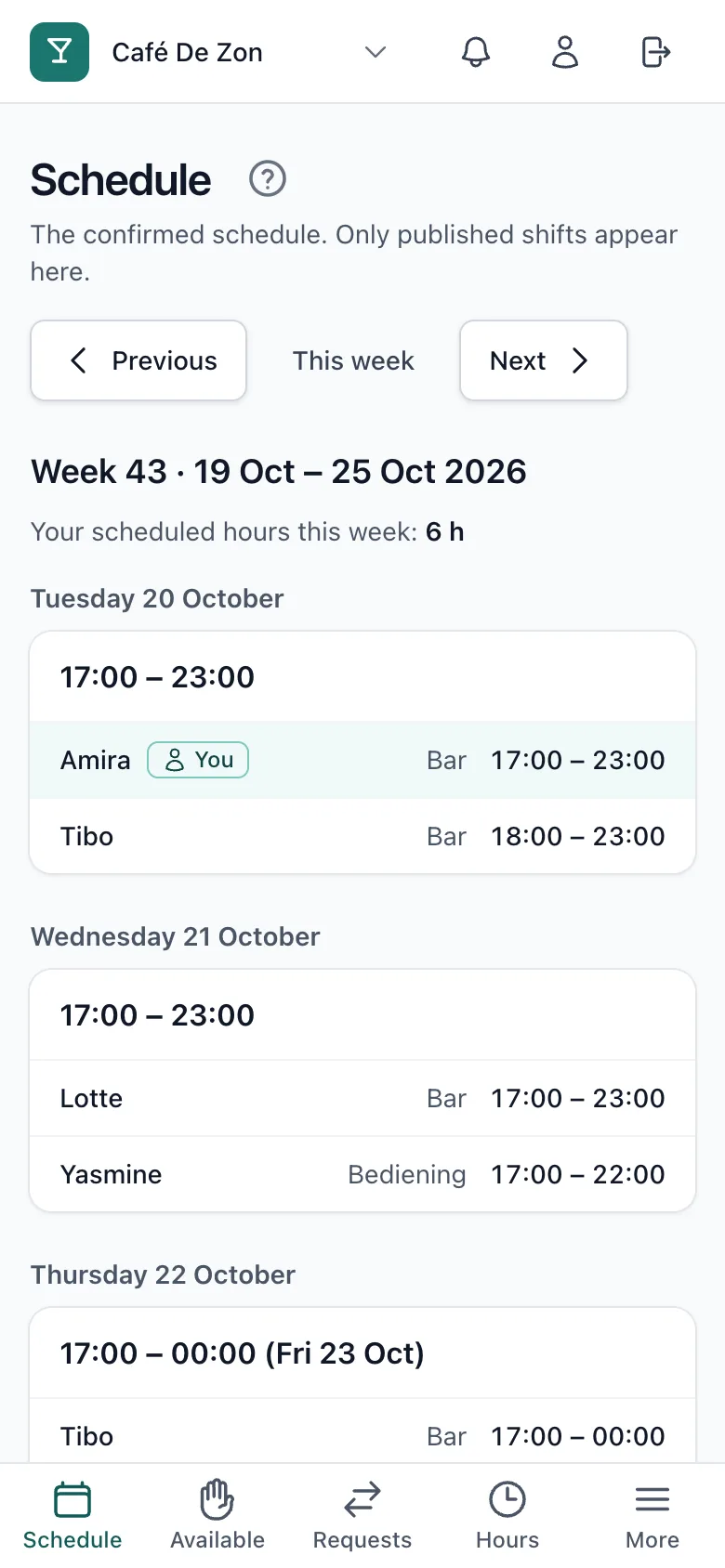
After installing, BarPlanner opens straight on your schedule: you see your shifts per day, with the colleagues who work with you.
Related articles
- Invite your teamInvite employees with their name and email address. They get a personal link, which you can also send yourself via WhatsApp.
- Plan and publish your first weekCreate time blocks, choose who works in each position and publish the week. Your team only sees the schedule after you publish.
Didn’t find what you were looking for? Search again: