Your profile, language and password
In your profile you change your name, language, email address and password, and sign out on devices you no longer use.
Open your profile with the person icon at the top (on your phone) or your name at the bottom of the menu (on a computer).
Language
BarPlanner works in nine languages: Dutch, French, English, Polish, Spanish, Turkish, Moroccan Arabic, Russian and Ukrainian. Choose yours under Language (1) and click Save details. The language applies to the app, your emails and your notifications. If you choose nothing, you get the venue's default language.
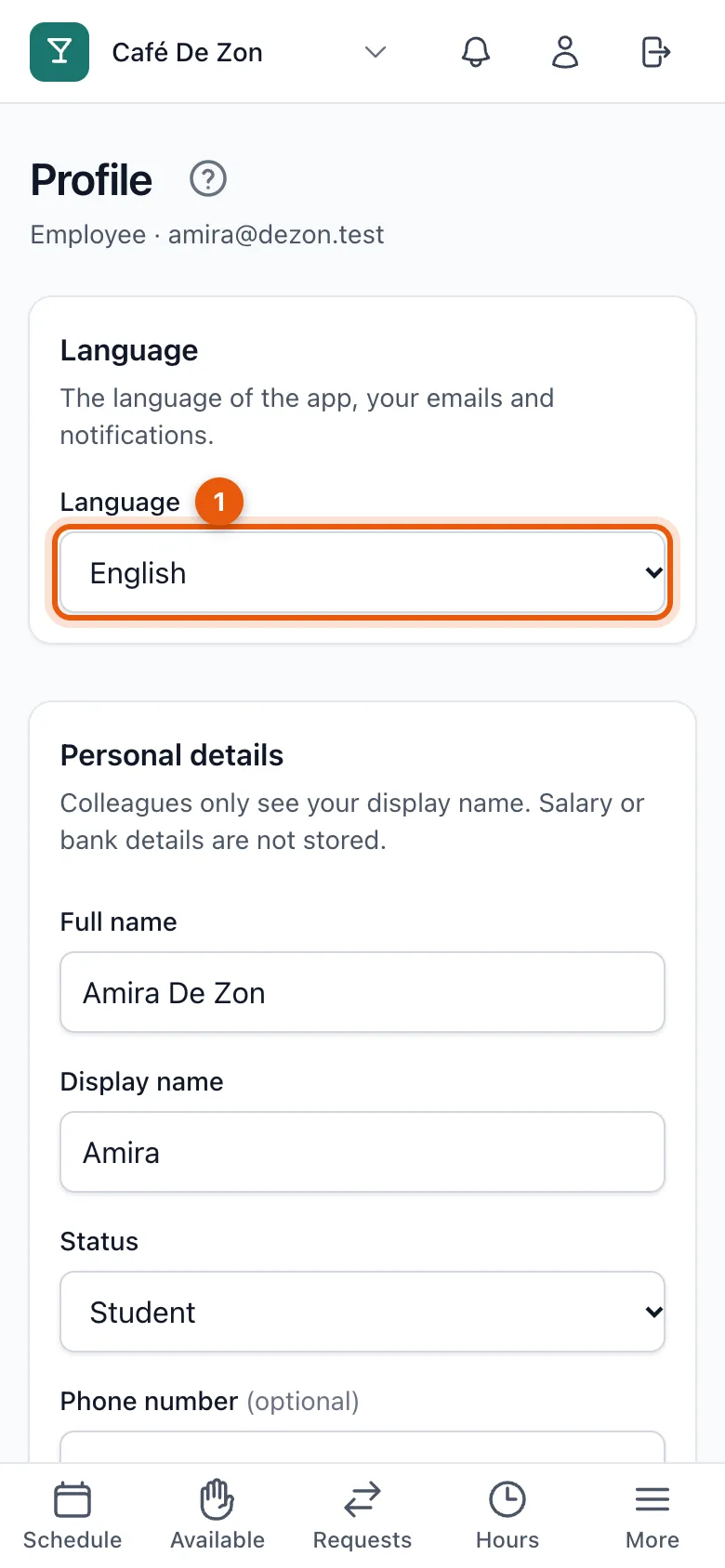
Personal details
Your full name, display name (how colleagues see you in the schedule), your status (student, flexi or main job), phone number, city and date of birth. Click Save details. BarPlanner never stores pay or bank details.
Change your email address
Enter a new email address and confirm with your password. You get a confirmation link at the new address; only then is it active. Until then your old address applies.
Change your password
Enter your current password and the new one twice (at least 10 characters, with letters and numbers). After the change you're signed out on your other devices.
Signed-in devices
You stay signed in until you sign out yourself. Lost a phone or signed in on a shared device? Under Signed-in devices, click Sign out on other devices.
Related articles
- Forgot your passwordRequest a reset link with your email address and choose a new password. The link works for one hour.
- Delete your accountAsk us to delete your account via a confirmation link. Your name and details are erased; scheduled hours stay anonymously for the venue.
- Notifications and push notificationsYou get a notification for a new schedule, a change or a request: in the app, by email, and as a push notification on your phone if you turn it on.
Didn’t find what you were looking for? Search again: