Request a cancellation
Can't work and can't find a colleague to take over? Request a cancellation; your manager decides and looks for a replacement.
Who can do this?
Everyone
-
Open Requests.
-
Next to the shift under My upcoming shifts, tap Request cancellation.
-
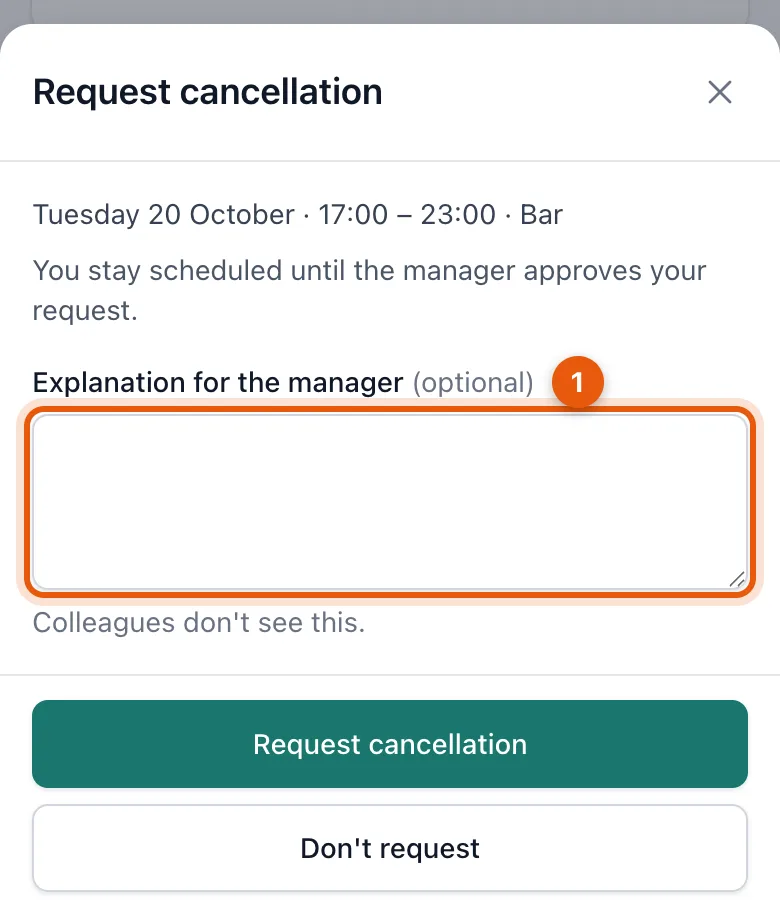
Write a note (1), for example exam moved. Your manager sees it; your colleagues don't.
-
Tap Request cancellation to send it.
If your manager approves the cancellation, you're taken off the schedule and your spot frees up. Your manager can then schedule someone else.
Related articles
- Ask a colleague to take over your shiftCan't work? Ask a colleague to take over your shift. Your colleague accepts first, then your manager decides.
- Approve or decline requestsTakeovers and cancellations of confirmed shifts wait for your decision. Approving updates the schedule straight away and notifies the people involved.
Didn’t find what you were looking for? Search again: