Work at more than one venue
With one account you work at several venues. Switch venue at the top of the app; BarPlanner prevents you being scheduled at two venues at once.
Who can do this?
Everyone
Do you work at more than one venue that uses BarPlanner? Then you have one account for all of them. You get an invitation per venue; it adds the venue to your existing account.
Switch venue
- Click the venue name at the top.
- Under Your venues (1), choose the venue you want to work in.
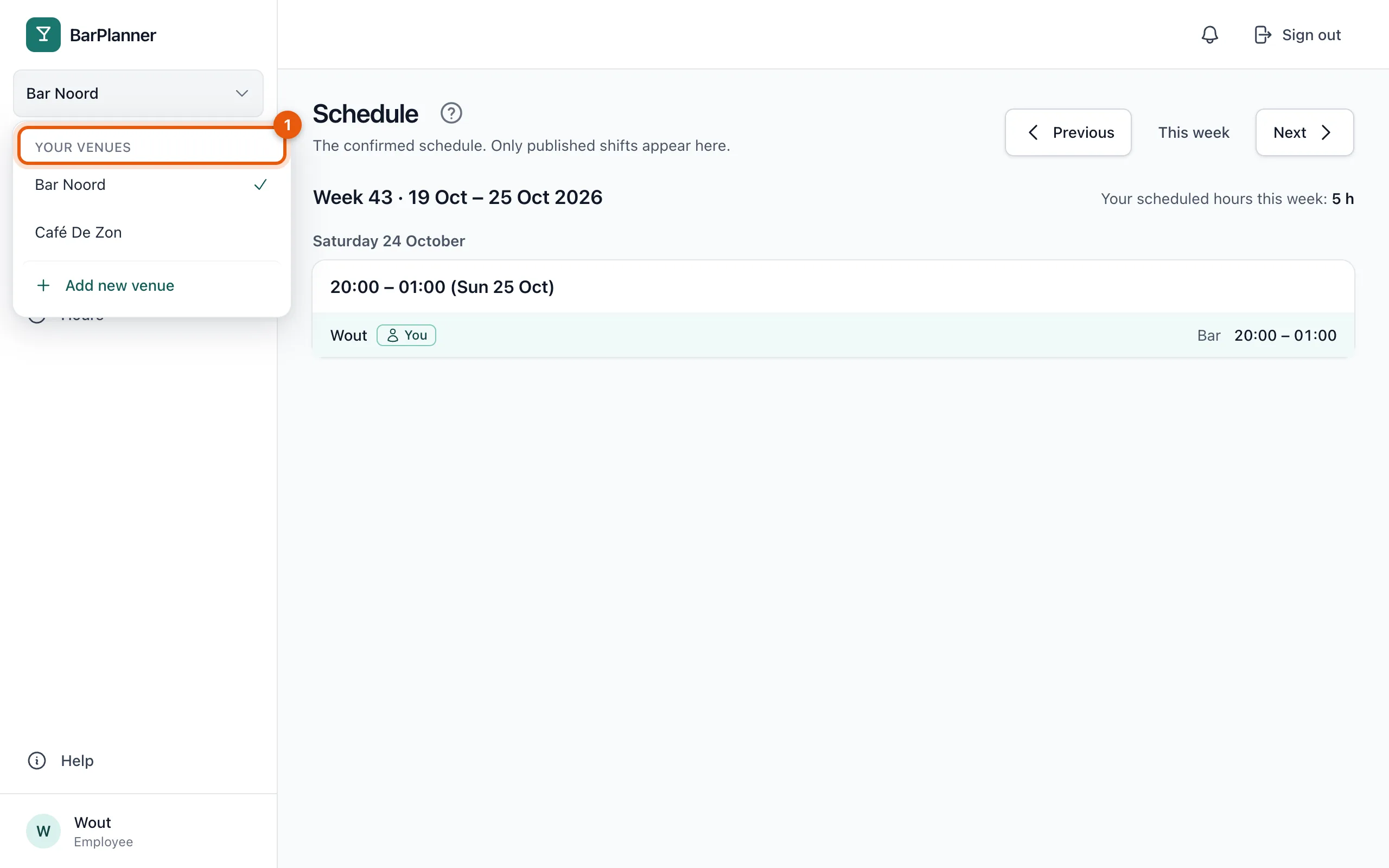
Your availability, schedule, requests and hours always apply to the venue you've chosen. Unread notifications from your other venues show as a number in this menu.
Never double-booked
BarPlanner makes sure you're never scheduled at two venues at the same time. The planner at the other venue only sees that you're busy, never where or with whom.
Related articles
- Add a second venueHave a second venue? Add it with the same account. It gets its own 30-day trial and its own subscription.
- Notifications and push notificationsYou get a notification for a new schedule, a change or a request: in the app, by email, and as a push notification on your phone if you turn it on.
Didn’t find what you were looking for? Search again: