View scheduled hours
See per week and per month how many hours everyone is scheduled, based on the published schedule. Staff see their own hours.
Who can do this?
Everyone
Hours shows the scheduled hours from the published schedule. They're not worked hours, and no break is deducted. Drafts don't count.
As an admin, manager or supervisor
You see a table with everyone:
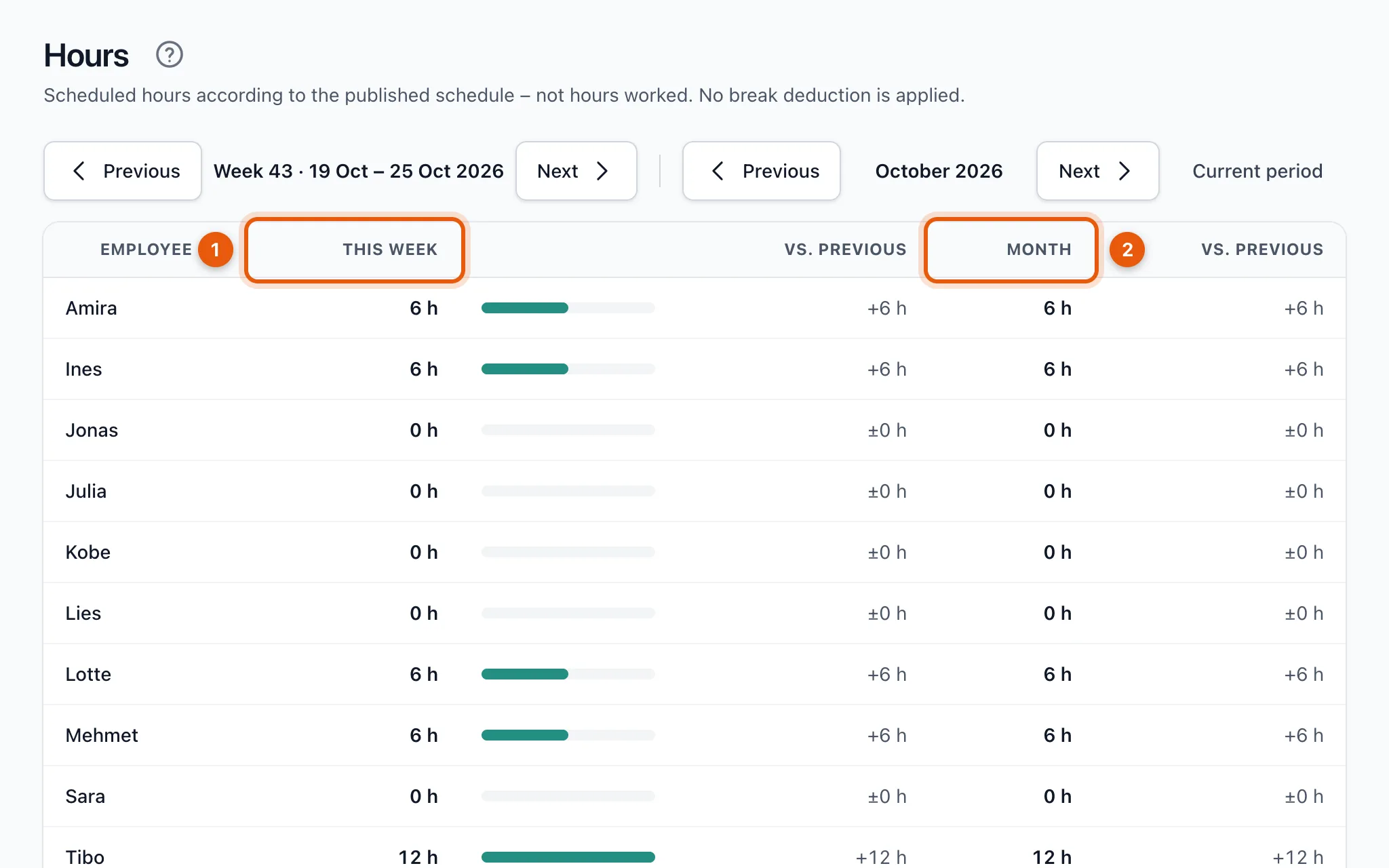
- This week (1) and Month (2): the hours in that period, with the difference from the previous week or month next to them.
- Use Previous and Next to browse by week or by month; Current period takes you back.
- Deactivated people are still listed if they had hours in that period.
As a staff member
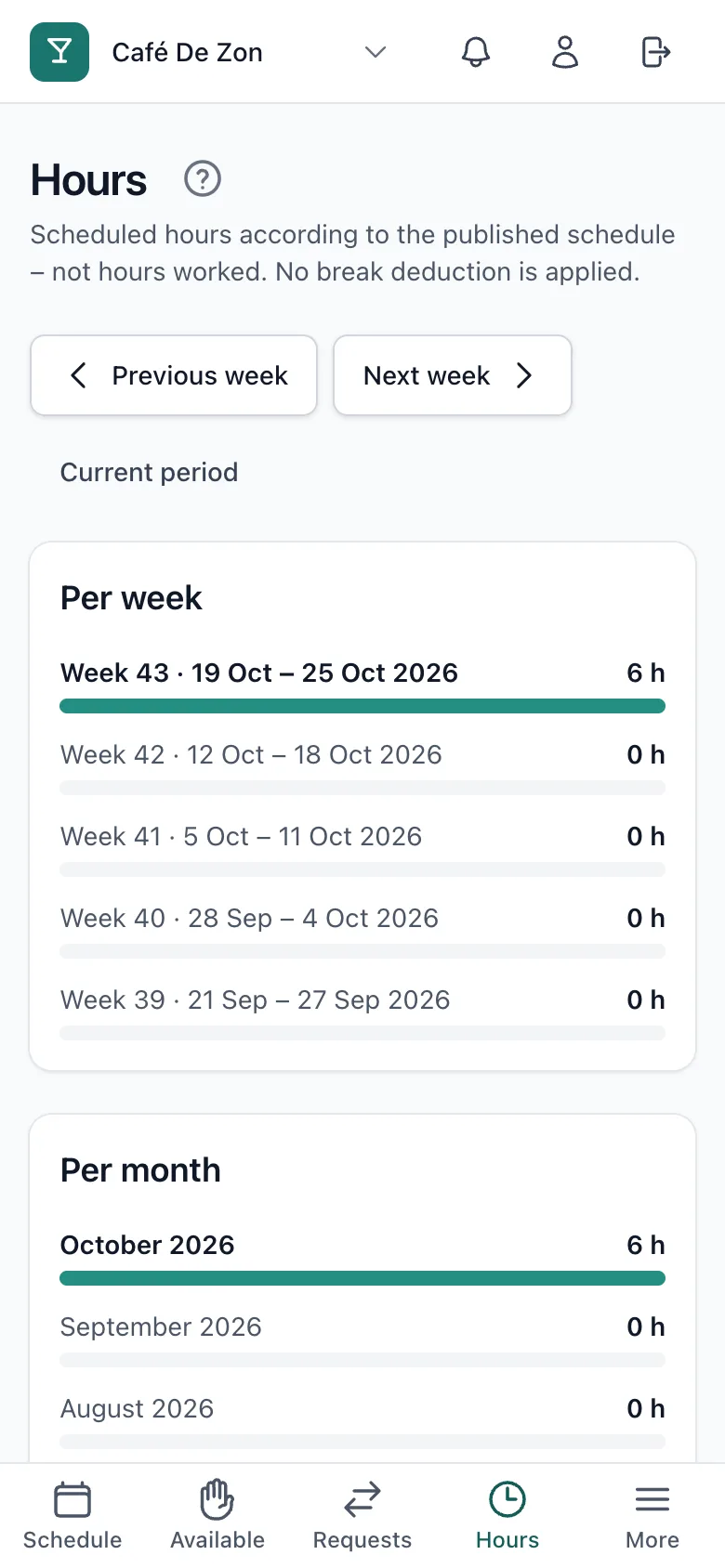
You only see your own hours: the last five weeks and the last four months.
Related articles
Didn’t find what you were looking for? Search again: